NightScape Lab
NightScape Lab is a desktop app I built for night landscape photography. You bring it a night of RAW frames, and it takes you from culling to a finished image without handing the work off to three or four other programs along the way. Everything runs on your own machine.
Why finishing a nightscape takes so long
Planning the night and standing out in the cold waiting for the core to clear the ridge is the fun part. For years, the processing afterward looked like this: stack the frames in one tool, open the result in Photoshop, jump to another app to pull the stars out, come back and hand-blend the foreground, and fight to keep the color right the whole way through. More than once I came home with a night I was proud of and didn’t finish the edit for weeks, because I didn’t want to spend another evening doing all of that.
I built the first version of NightScape Lab as a Photoshop panel and a Lightroom plugin. It helped, but it was still a round trip between programs. This fall I rebuilt it as a standalone desktop app with everything in one place.
How NightScape Lab works
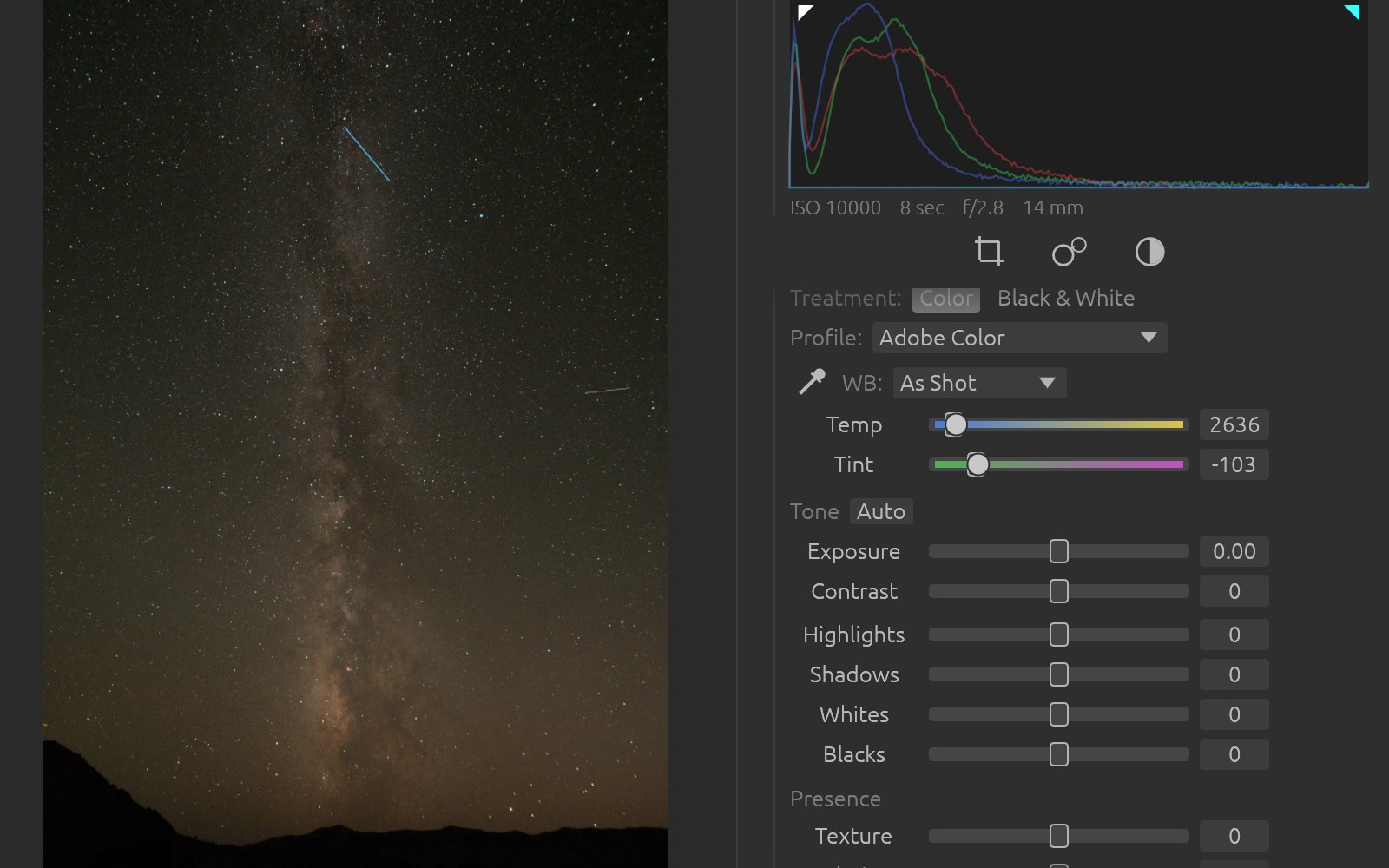
If you’ve used Lightroom, the app will feel familiar. You import a night’s shoot (add a folder in place, or copy straight off the card into folders by date), and NightScape Lab sorts your lights from your darks. You cull in a library with grid, compare and filmstrip views, flags, ratings, color labels, keywords and smart collections.
From there you select your frames and stack them. The stacker builds an AI sky mask, aligns the sky and the ground separately, takes out satellite and airplane trails, and writes a clean 16-bit linear ProPhoto base image. If the mask misses a tree line or a ridge, you paint over it and restack.
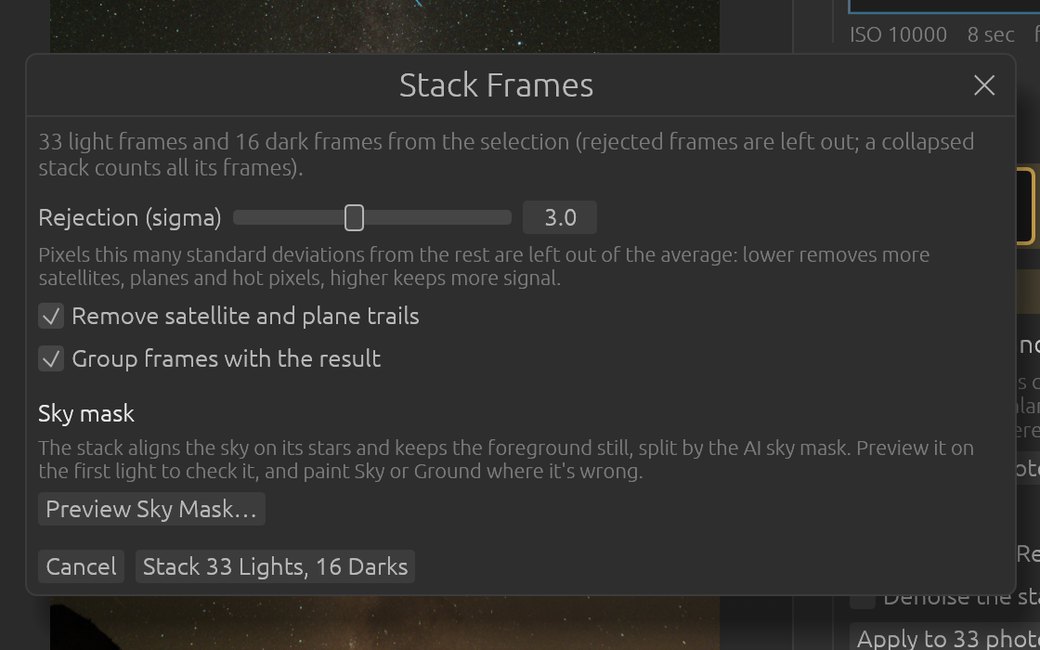
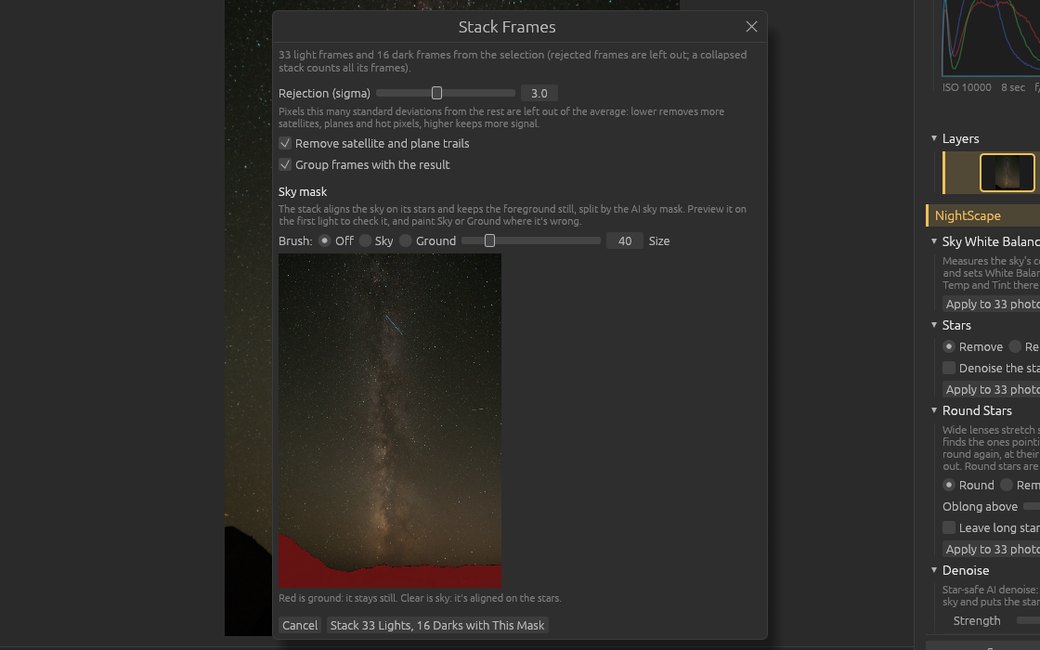
Then you finish the image in Process, which has the usual Basic, Tone Curve, HSL and Crop panels plus the tools a nightscape actually needs:
- Stars removes or reduces stars, and Round Stars cleans up the stretched ones at the edge of the frame.
- Noise reduction that leaves the stars alone.
- Foreground Sky Merge joins a separately exposed foreground to the sky without the halo you get from a hand blend.
- Star Trails builds trails from a sequence, with five different looks.
- Panorama for multi-frame panos.
- Masks and layers, including sky and ground masks, linear, radial, range and brush masks, and layers that re-run when the image under them changes.
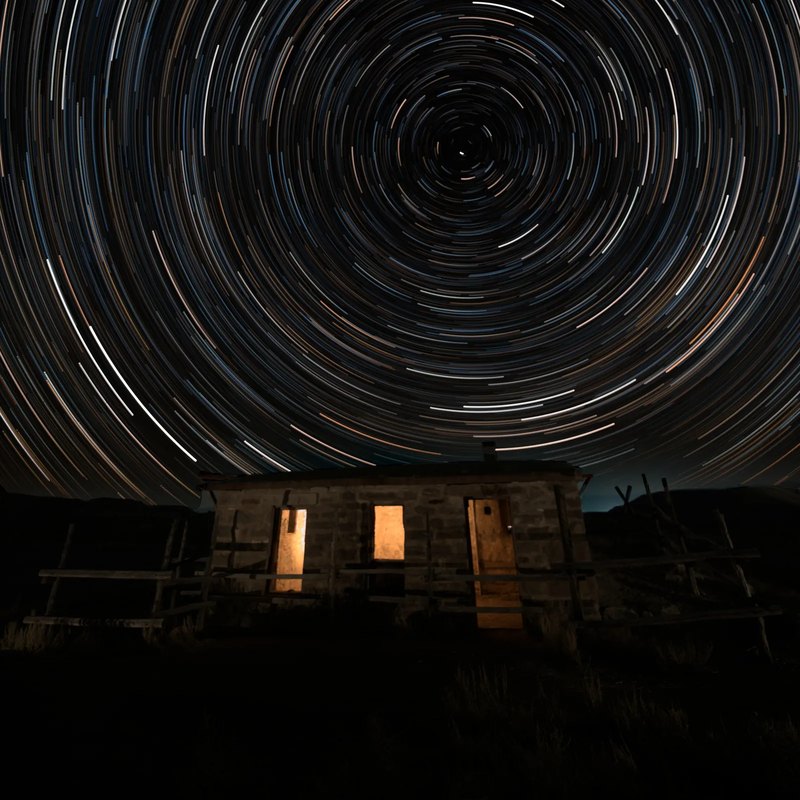
When you’re done, you export a JPEG, TIFF or PNG, or the full 16-bit master. There’s also a nightscape command line tool that runs every tool on files, for anyone who wants to script a batch.
Everything stays on your machine
NightScape Lab doesn’t upload your photos. The AI models for the sky mask, star removal and noise reduction run locally on your computer, and on Apple Silicon they run on the Mac’s own hardware. The app only goes online to check the license and look for updates, and you can turn the update check off.
I made that decision early. A night of RAW frames is a lot of data to push to someone’s server, and I don’t want my images training a model somewhere.
Who it’s for
NightScape Lab is for landscape photographers who shoot the Milky Way, single-frame nightscapes or star trails and want the whole post-processing workflow in one app. It runs on macOS (Apple Silicon and Intel), Windows and Linux. You don’t need Photoshop or Lightroom, but if you already use them, a Lightroom Classic plugin and a Photoshop panel come with it (macOS and Windows only), and Edit In sends an image to Photoshop and brings it back when you save.
It’ll be $129, paid once, with no subscription. Updates within the version you buy are free, and there’s a 30 day money-back guarantee.
NightScape Lab is close to launch. The how it works page walks through the full workflow, the examples show before and after for each tool on my own nightscapes, and the compare page lines it up against the tools it replaces. If you want to know the day it ships, sign up at nightscapelab.com.